Note
Hello, welcome to the SunFounder Raspberry Pi & Arduino & ESP32 Enthusiasts Community on Facebook! Dive deeper into Raspberry Pi, Arduino, and ESP32 with fellow enthusiasts.
Why Join?
Expert Support: Solve post-sale issues and technical challenges with help from our community and team.
Learn & Share: Exchange tips and tutorials to enhance your skills.
Exclusive Previews: Get early access to new product announcements and sneak peeks.
Special Discounts: Enjoy exclusive discounts on our newest products.
Festive Promotions and Giveaways: Take part in giveaways and holiday promotions.
👉 Ready to explore and create with us? Click [here] and join today!
1. Let PiCar-X Move
This is the first project, let’s test the basic movement of Picar-X.
Run the Code
cd ~/picar-x/example
sudo python3 1.move.py
After running the code, PiCar-X will move forward, turn in an S-shape, stop and shake its head.
Code
Note
You can Modify/Reset/Copy/Run/Stop the code below. But before that, you need to go to source code path like picar-x/example. After modifying the code, you can run it directly to see the effect.
from picarx import Picarx
import time


if __name__ == "__main__":
    try:
        px = Picarx()
        px.forward(30)
        time.sleep(0.5)
        for angle in range(0,35):
            px.set_dir_servo_angle(angle)
            time.sleep(0.01)
        for angle in range(35,-35,-1):
            px.set_dir_servo_angle(angle)
            time.sleep(0.01)
        for angle in range(-35,0):
            px.set_dir_servo_angle(angle)
            time.sleep(0.01)
        px.forward(0)
        time.sleep(1)

        for angle in range(0,35):
            px.set_camera_servo1_angle(angle)
            time.sleep(0.01)
        for angle in range(35,-35,-1):
            px.set_camera_servo1_angle(angle)
            time.sleep(0.01)
        for angle in range(-35,0):
            px.set_camera_servo1_angle(angle)
            time.sleep(0.01)
        for angle in range(0,35):
            px.set_camera_servo2_angle(angle)
            time.sleep(0.01)
        for angle in range(35,-35,-1):
            px.set_camera_servo2_angle(angle)
            time.sleep(0.01)
        for angle in range(-35,0):
            px.set_camera_servo2_angle(angle)
            time.sleep(0.01)

    finally:
        px.forward(0)
How it works?
The basic functionality of PiCar-X is in the picarx module,
Can be used to control steering gear and wheels,
and will make the PiCar-X move forward, turn in an S-shape, or shake its head.
Now, the libraries to support the basic functionality of PiCar-X are imported. These lines will appear in all the examples that involve PiCar-X movement.
from picarx import Picarx
import time
The following function with the for loop is then used to make PiCar-X
move forward, change directions, and move the camera’s pan/tilt.
px.forward(speed)
px.set_dir_servo_angle(angle)
px.set_camera_servo1_angle(angle)
px.set_camera_servo2_angle(angle)
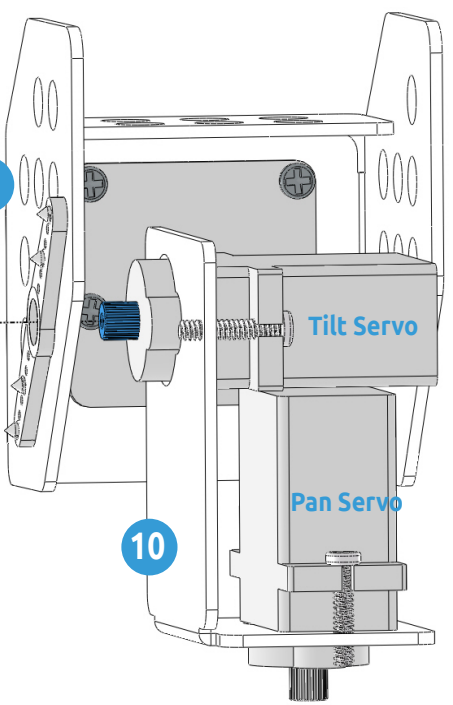
forward(): Orders the PiCar-X go forward at a givenspeed.set_dir_servo_angle: Turns the Steering servo to a specificangle.set_cam_pan_angle: Turns the Pan servo to a specificangle.set_cam_tilt_angle: Turns the Tilt servo to a specificangle.